Check PTA Status via DIRBS in 2026: Step-by-Step

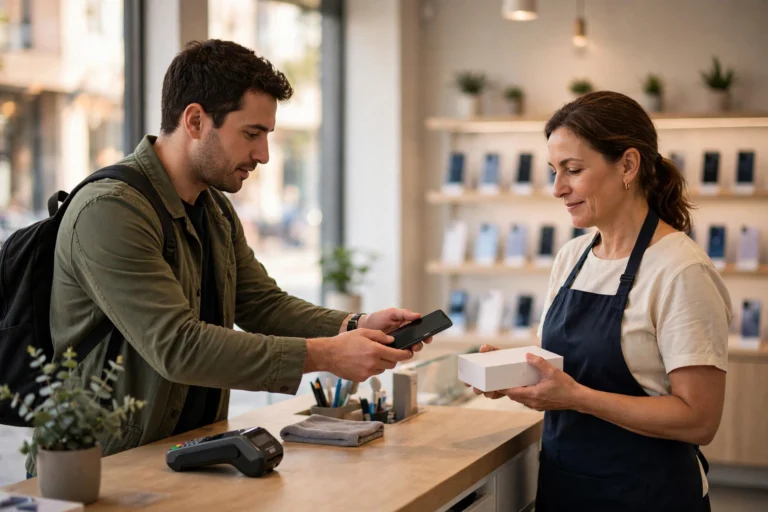
Before you buy a phone in Pakistan — new or used — there is one check that matters more than the price, the camera or the battery: is it PTA approved? Every phone that runs on a Pakistani mobile network is tracked in PTA’s Device Identification, Registration and Blocking System (DIRBS), and a phone that is not registered can lose network access. The good news is that checking takes about two minutes, and every official method is free.
This guide walks you through all three official ways to check PTA status via DIRBS in 2026 — SMS to 8484, the DIRBS portal, and the *8484# code and DVS app — explains what each result actually means, and lists the checks to run before you hand over money for a used phone.
Step 1: Find your IMEI number first
Every check starts with the same 15-digit number: the IMEI (International Mobile Equipment Identity). It is your phone’s unique identity, and DIRBS tracks registration against it, not against your SIM or your name. The fastest way to find it is to dial *#06# on the phone itself — the IMEI appears on screen immediately, no SIM or internet needed.
If you cannot dial on the phone — for example, you are checking a phone in a shop before buying — you can also find the IMEI in Settings, under About Phone or About Device, and printed on the box and often on the SIM tray. Always compare the number on screen with the number on the box: if they do not match, walk away, because a mismatched IMEI is a classic sign of a tampered or reassembled phone. If the phone has two SIM slots, it has two IMEIs, and you must check both — one slot can be registered while the other is not, and the unregistered slot will eventually be blocked. Wi-Fi-only tablets and devices without a SIM slot usually have no IMEI at all, so there is nothing to check or register through DIRBS.
Step 2: SMS your IMEI to 8484
The simplest method is also the most popular. Open the messages app on any phone, type the phone’s 15-digit IMEI, and send it by SMS to 8484. PTA replies within moments with the device’s status. There is no charge for the check itself, and it works without mobile data, which is why it is the method shopkeepers and buyers use most at the counter.
Two habits make this check reliable. First, run it from your own phone and your own SIM, not the seller’s — a seller’s phone can be used to show you a different device’s result. Second, type the IMEI yourself from the *#06# screen rather than copying a number the seller hands you. The reply gives you the headline status; for fuller detail, such as the brand, model and registration date, use the portal method below. If the reply says the device is compliant, you are done — the phone is PTA approved and will work on every Pakistani network. Anything else needs the next section.

Step 3: Check online on the DIRBS portal, DVS app or *8484#
If you want more detail than an SMS reply, use the official DIRBS portal. Reach it through PTA’s own website, pta.gov.pk, and open dirbs.pta.gov.pk — going through PTA’s site matters, because search results are full of lookalike “PTA check” pages, some of which charge for a check that PTA gives free. On the portal, enter the 15-digit IMEI and the result shows the full status plus the brand, model, import channel and registration date. It is the best option when you are checking a phone from a computer, or when you want a record of the result before buying.
PTA also offers an official DIRBS DVS app on the Google Play Store and Apple App Store, which lets you scan a barcode or type the IMEI in for an instant result, and the USSD code *8484#, which walks you through the same check with on-screen prompts. The USSD route is genuinely useful in areas with weak mobile data, where a full website struggles to load. All three — SMS, portal and app — query the same DIRBS database, so a phone that shows as non-compliant in one will show the same in the others. If different methods ever disagree, trust the portal result and re-check after a few hours; a recent payment or registration can take time to appear everywhere.
Step 4: What your result means: compliant, non-compliant or blocked
Every DIRBS check resolves to one of a few answers, and the difference between them decides what you do next. Here is what each one means in plain language.
| Status | What it means | What to do |
|---|---|---|
| Compliant / PTA approved | The phone is fully registered, its IMEI is valid, and any tax due has been paid. It works on all Pakistani networks with no further action. | Nothing. Keep the receipt and box for resale. |
| Non-compliant | The IMEI is valid but registration is incomplete — usually the import tax has not been paid. An imported phone gets 60 days from its first use on a Pakistani network to be registered. | Register and pay before the 60 days run out (see below). |
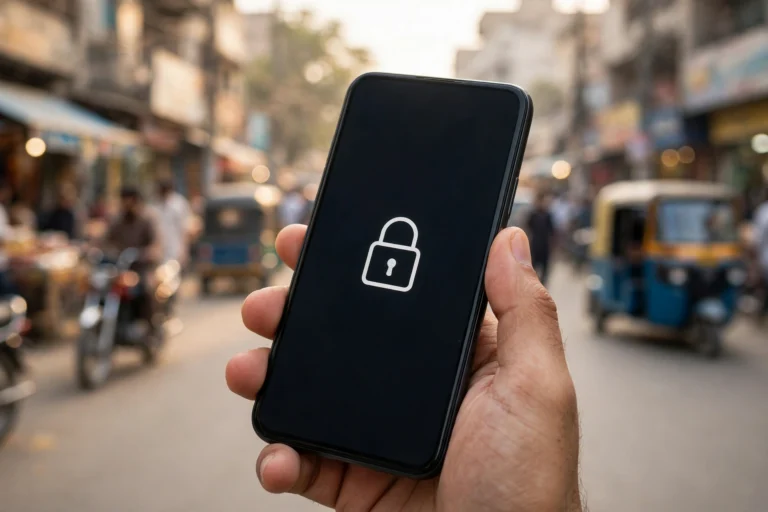
| Blocked | The IMEI is barred from all Pakistani networks — typically because it was reported lost or stolen, or flagged as cloned or tampered. | Do not buy it. This is not fixed by paying tax. |
| Registered for one SIM only | On a dual-SIM phone, only one IMEI is registered. The other slot is still non-compliant. | Register the second IMEI as well, or that slot will be blocked. |
| IMEI not valid | The number is not a genuine GSMA-registered IMEI at all. | Do not buy it — it cannot be registered. |
The 60-day rule is the part most buyers misunderstand. The clock starts when the phone first registers on a Pakistani network, not when you buy it and not when you first notice a problem. A phone bought from a shop two months after it first connected may already be near the end of its window, which is why the check matters before payment, not after. Once the window passes without registration, the phone loses network access — calls, SMS and mobile data stop, even though Wi-Fi keeps working. If you are visiting Pakistan, check the temporary-registration option on DIRBS itself rather than assuming extra time: the standard window is 60 days, and anything beyond that depends on the current DIRBS rules for your case.
Step 5: What to do next — and the checks to run before you pay
If your phone shows as non-compliant, the fix is registration, not a new SIM. Submit the IMEI through the DIRBS registration process with your CNIC or passport number, and DIRBS issues a Payment Slip ID (PSID) with the exact tax due. Pay that PSID through a bank or mobile banking channel and the phone becomes compliant once payment clears. If the lump sum is too much at once, our step-by-step guide to paying PTA tax in installments explains the CGO No. 06 of 2026 procedure — equal monthly installments through DIRBS, with a strict warning that a missed installment gets the phone blocked and the whole outstanding tax due at once. The tax itself depends on FBR’s assessed value for your exact model, so check the figure on your own PSID rather than trusting a shop’s estimate; our iPhone 18 Pro Max PTA tax guide shows how widely those estimates can vary for a single flagship.
If you are buying a used phone, run this short checklist before paying: check both IMEIs on your own SIM, match the *#06# number against the box, confirm the result says compliant (not merely “works on Wi-Fi”), get a written receipt that names the IMEI, and if the seller claims the tax is paid, ask to see the DIRBS result yourself. For a non-PTA set, agree in writing who pays the DIRBS tax — that one line saves more arguments than any other clause in a used-phone deal. And beware of the two common scams around this check: websites or agents that charge a fee for a “PTA verification” that PTA provides free, and anyone who offers to “fix” a blocked or invalid IMEI for cash. PTA has also warned that tampering with a device’s IMEI is an offence under the Prevention of Electronic Crimes Act 2016, so a phone with a changed IMEI is not a bargain — it is a liability.
Whichever phone you are checking, compare it against its MobZilo price page before you buy — see our pages for the iPhone 17e, the Samsung Galaxy A07 and the Infinix Smart 20 to confirm what a PTA-approved set should actually cost. The two-minute DIRBS check is the cheapest insurance in Pakistani mobile buying: run it before you pay, and a phone that looks like a deal stays a deal. MobZilo will keep this guide updated as DIRBS rules change — until then, trust the DIRBS result, not the seller’s word.
17 Comments