Phone Not Charging? Fix It Fast in Pakistan
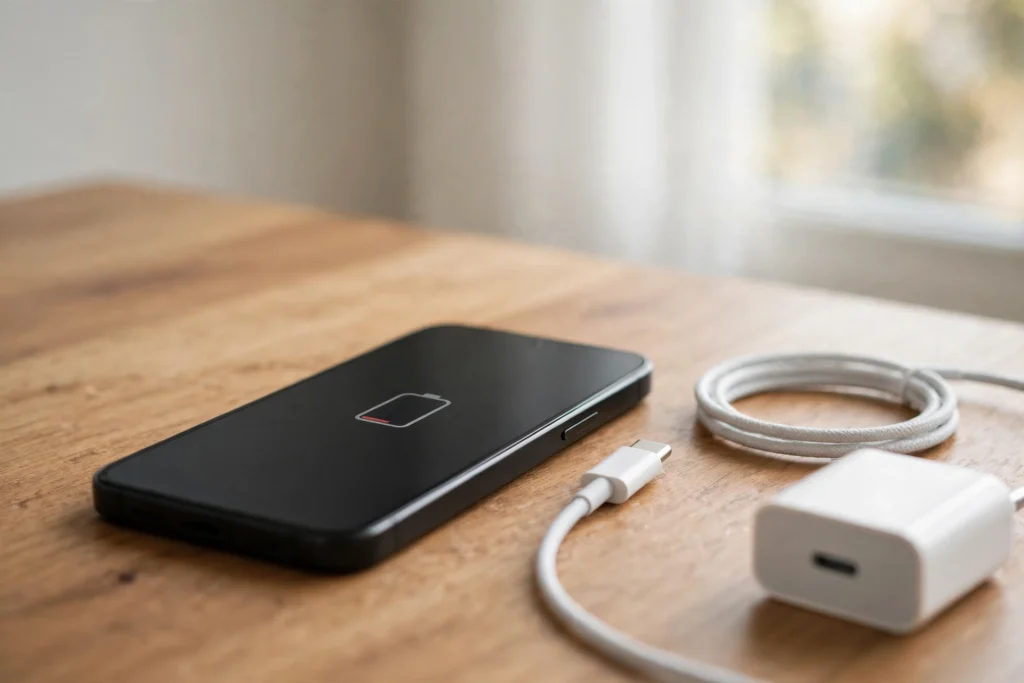
A phone that will not charge feels like a dead phone, but most of the time the phone itself is fine. In the large majority of cases the fault is one of three cheap things: a failed cable, a weak charger, or lint packed into the charging port. Work through the checks below in order and you will either fix the problem free at home in about ten minutes, or you will know exactly what to tell the repair shop — which is how you avoid paying for a repair you did not need.
This guide covers Android and iPhone, with notes where Samsung, Pixel and recent iPhones behave differently. Nothing here needs tools beyond a torch, a wooden toothpick and a charger you already own.
1. Rule Out the Cable and Charger First
Cables fail far more often than phones do. A cable can look perfect and still be broken inside, usually where the wire bends at the connector head after months of being yanked, coiled and stuffed into bags. So start here: borrow a cable that is known to work on another phone, and plug your phone in with it. If it charges, you are done — buy a replacement cable, not a repair.
Then do the same test with the charger brick. Plug into a wall socket you know works, not a power strip, a UPS outlet or a laptop USB port — a laptop port typically delivers far less power and will charge your phone very slowly. Use a USB Power Delivery (USB-PD) wall adapter rated at 20W or more if your phone supports fast charging. If the small configuration-channel pin inside a USB-C cable breaks, the charger falls back to the emergency rate of 5V at 1A — just 5W — which is why a damaged cable can make a fast-charging phone crawl.
Inspect both accessories before you blame the phone. Look for fraying, exposed wire, bent connectors and burn marks, and throw away any cable or charger with visible damage — Apple, Google and Samsung all warn against using damaged accessories. Cheap unbranded chargers are a common cause of slow and intermittent charging in Pakistan, and a charger that came free in a market bundle is the first thing to suspect.
Two quick tests narrow it down further. First, restart the phone: charging is managed by software, and a restart clears a stuck charging state more often than people expect. If the phone is completely dead, leave it on a charger you know works for 30 minutes before trying to switch it on. Second, if your phone supports wireless charging, put it on a wireless pad. If it charges wirelessly but not by cable, the battery is fine — the fault is the port or the cable, and you can skip straight to the next section.
2. Clean the Charging Port — the Lint Fix
Every time you slide your phone into a pocket, a little lint goes in with it, and every time you plug the cable in, that lint gets packed a little deeper. Eventually the plug cannot seat far enough to reach the contacts. The tell-tale signs are a cable that no longer clicks in firmly, charging that only works when the cable is held at an angle, or fast charging that has quietly stopped working. Repair guides consistently rank this as the most common port fault there is — and it costs nothing to fix.
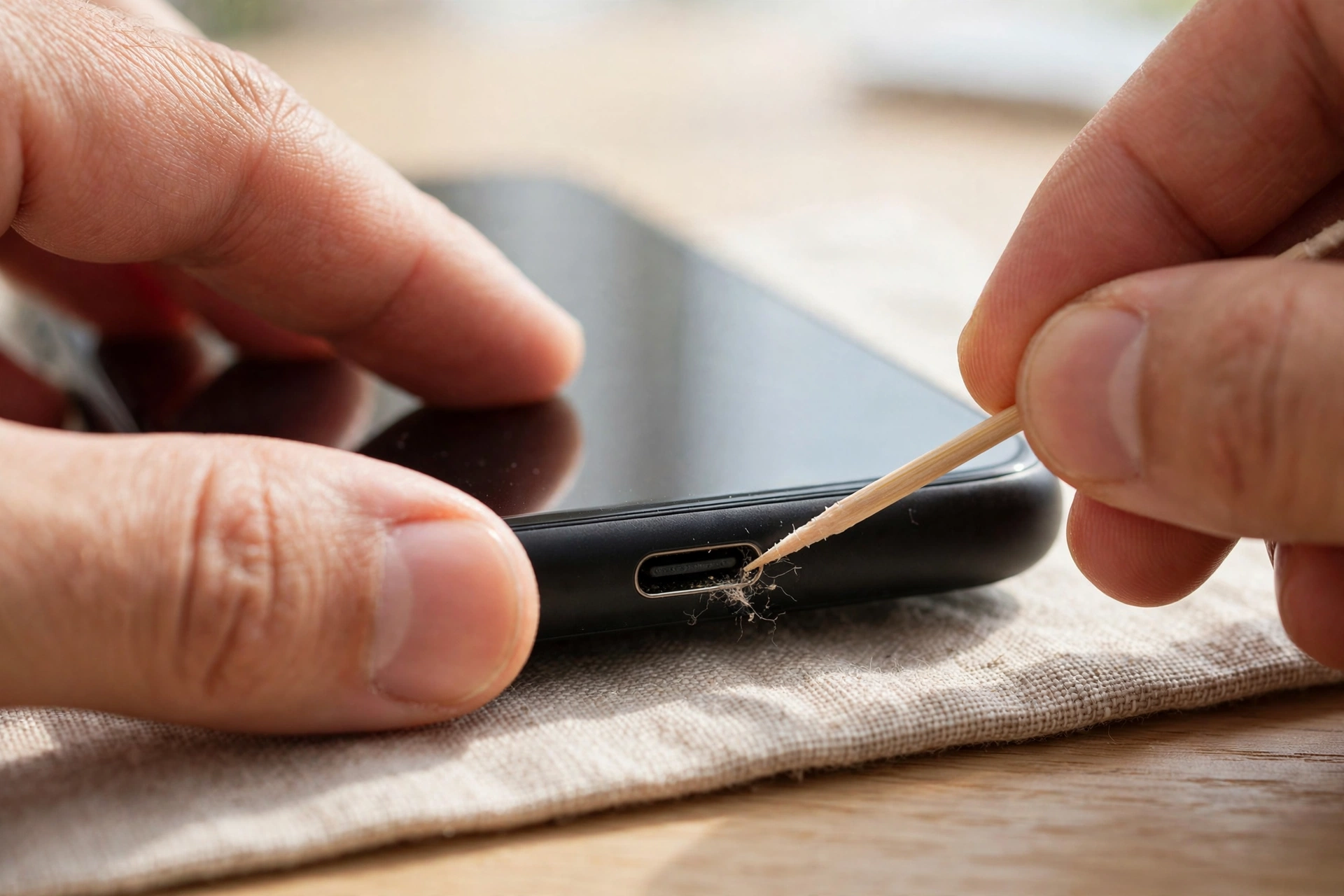
Here is the safe way to do it. Switch the phone completely off first, so there is no chance of a short. Shine a torch into the port and look for grey fuzz or a dark packed layer at the bottom. Then gently lift the lint out with a wooden toothpick or a plastic dental pick, working along the walls of the port and pulling the material towards you instead of pushing it further in. A dry soft brush sweeps out what is left, and a short burst of compressed air is a final clean-up step — not the main tool, because air alone rarely shifts compacted lint.
USB-C ports have a thin plastic tongue in the middle with contacts on both sides, and that tongue is the fragile part: work around it, never press on it, and never twist a pick inside the port. The same care applies to older Lightning ports, where the contacts line the walls.
Just as important is what not to do. Never use a metal pin, needle, paperclip or SIM ejector tool — metal scratches the contacts, can short the pins and can snap the delicate tongue inside a USB-C port. Do not blow into the port: moisture from your breath can corrode the contacts. Do not pour in water or household cleaners. For a port that is sticky from a spill, a toothbrush very lightly dampened with 90% or stronger isopropyl alcohol can help, but use only a tiny amount and leave the phone off for at least 30 minutes so it evaporates completely.
Test after cleaning: a clean port gives a firm, satisfying click when the cable goes in, and fast charging should return immediately if lint was the cause. If the port is visibly clean and charging is still unreliable with a known-good cable, the port itself is probably worn or damaged — that is a repair-shop job, covered in the last section.
3. Slow Charging, Stuck at 80% and Moisture Warnings
Not every charging complaint is a fault. Charging naturally slows down as the battery fills — fast to 50%, then a long crawl — because the phone throttles current to protect the battery. Heat does the same thing: a phone charging in a hot room, in direct sun, or inside a thick case will deliberately slow down. Phones are designed to operate between roughly 0°C and 35°C, so in a Pakistani summer, taking the case off and moving the phone into the shade is a genuine fix, not a placebo.
If your phone stops at 80% and refuses to go further, that is usually a setting, not a fault. iPhones use Optimized Battery Charging, which pauses at 80% overnight and finishes before you usually unplug, and iPhone 15 and later models let you cap charging at 80% under Settings > Battery > Charging. Samsung has the same idea under Battery Protection, which can cap charging at 80%. Check those settings before assuming the battery is dying.
A moisture warning is different: the phone is telling you it senses water or debris in the port, and it has cut power to avoid a short circuit. Unplug the cable, hold the phone with the port facing down and tap it gently against your hand, then leave it to dry naturally in a place with some airflow for at least 30 minutes before trying again. Do not charge through the warning, do not put the phone in rice — rice dust gets into the port and the drying effect is a myth — and do not use a hair dryer or heat gun, which can damage the seals.
One software note for iPhone owners: some iPhone 17, iPhone 17 Pro and iPhone Air owners found their phone would not charge by cable once the battery had fully drained to 0%, though wireless charging still worked. Apple fixed this in iOS 26.5.1, released in early June 2026, so if you own one of those models, install the latest update under Settings > General > Software Update before spending money on a repair.
4. Is It the Battery? 5 Signs It Needs Replacing
If the cable, charger and port all check out, the battery itself is the next suspect. Lithium-ion batteries are consumables: most are rated for roughly 500 to 1,000 full charge cycles before they drop to about 80% of their original capacity, which is the point manufacturers consider them degraded. These five signs point at the battery rather than the charger:
- It drains far faster than it used to. Needing a top-up by midday on the same routine that used to last until night is the most common sign.
- It shuts down suddenly, even with charge left. A phone that powers off at 20% or 30% — and sometimes only comes back once plugged in — has a battery whose fuel gauge no longer reflects its real capacity.
- It charges slowly or the percentage jumps around. Dropping from 80% to 62% in minutes, or a percentage that climbs in uneven jumps, points at a worn cell.
- It runs hot doing next to nothing. A degraded battery generates more heat while delivering current, so warmth at idle is a warning sign.
- It is swelling. If the back cover is bulging, the screen is lifting at the edges, or the phone no longer sits flat on a table, stop using it immediately. A swollen battery means gas has built up inside a failing cell — it is a fire risk. Do not charge it, do not press on the bulge, do not try to puncture it, and get it replaced or the device safely recycled as soon as possible.
You can confirm the diagnosis before spending anything. On iPhone, go to Settings > Battery > Battery Health & Charging and look at Maximum Capacity. On Android, the wording varies, but most recent phones show battery health under Settings > Battery, and free apps like AccuBattery can estimate it on phones that do not. Below 80% maximum capacity, combined with the symptoms above, means the battery is genuinely degraded — no setting will fix it. Our battery health and charging tips for Pakistani users explain how heat, load-shedding and fast charging wear batteries down in the first place.
5. Repair Costs in Pakistan — and When to See a Technician
When the free checks have not fixed it, a repair is usually still far cheaper than a new phone. Reported ranges from a Rawalpindi repair guide, which vary by city, shop and part quality, are:
| Repair | Reported cost in Pakistan |
|---|---|
| Charging port cleaning only | PKR 500 – PKR 1,000 |
| Charging port replacement | PKR 1,500 – PKR 3,500 |
| Battery replacement (budget phones) | PKR 1,000 – PKR 2,500 |
| Battery replacement (mid-range phones) | PKR 2,000 – PKR 4,000 |
| Battery replacement (flagship phones) | PKR 4,000 – PKR 8,000 |
Always get a quote before the work starts, ask whether the part is original or copy, and ask about the warranty on the work — reputable shops typically offer 30 to 90 days. And check your warranty first: if the phone is still under its official warranty, a free repair beats a paid one, but opening the phone at an unauthorised shop can void it. Our guide to mobile phone warranties in Pakistan explains what official and shop warranties actually cover.
Stop the DIY checks and see a technician if the port pins are visibly bent or corroded, if you smell burning or the port feels hot, if the phone shows no sign of life after every check above, or if the battery is swelling. Those are board-level or safety problems, not cleaning problems, and forcing them can turn a PKR 2,000 port replacement into a dead motherboard.
Most charging problems in Pakistan come down to the same short list: a tired cable, a weak charger, lint in a USB-C port that every phone picks up in a pocket, or a battery that has simply done its cycles. Phones like the Samsung Galaxy A07, Infinix Smart 20 and Redmi 15C all use USB-C, so the same cleaning and cable checks apply to the budget phones most Pakistanis actually carry. Run the checks in order, and nine times out of ten the fix is free — for more phone guides, prices and fixes, visit MobZilo.
Frequently Asked Questions
Why does my phone charge only when the cable is held at an angle?
Almost always lint packed into the port, or a worn cable. Clean the port as described above with a wooden toothpick, then try a different cable. If it still only works at an angle after cleaning, the port contacts are worn and the port needs replacing.
Can I use any charger with my phone?
Any certified USB-PD charger of the right wattage is fine, but cheap unbranded chargers often deliver far less power than they claim and can cause slow or intermittent charging. Match the wattage your phone supports and buy from a known brand.
Is it safe to clean the charging port with a SIM ejector tool?
No. Metal tools can scratch the contacts, short the pins or snap the thin tongue inside a USB-C port. Use a wooden or plastic toothpick, work gently along the walls, and switch the phone off first.
How much does charging port repair cost in Pakistan?
Reported ranges are roughly PKR 500–1,000 for a cleaning and PKR 1,500–3,500 for a port replacement, with battery replacements from about PKR 1,000 on budget phones to PKR 8,000 on flagships. Prices vary by city, shop and part quality, so get a quote first.